
// v0.13.0early development
All your Guild Wars 2 accounts, side by side.
Breakbar Launcher starts several game clients at once, each with its own account, and keeps them organized. One small portable .exe. Free and open source.
Windows 10/11 x64 · free · open source (MIT)
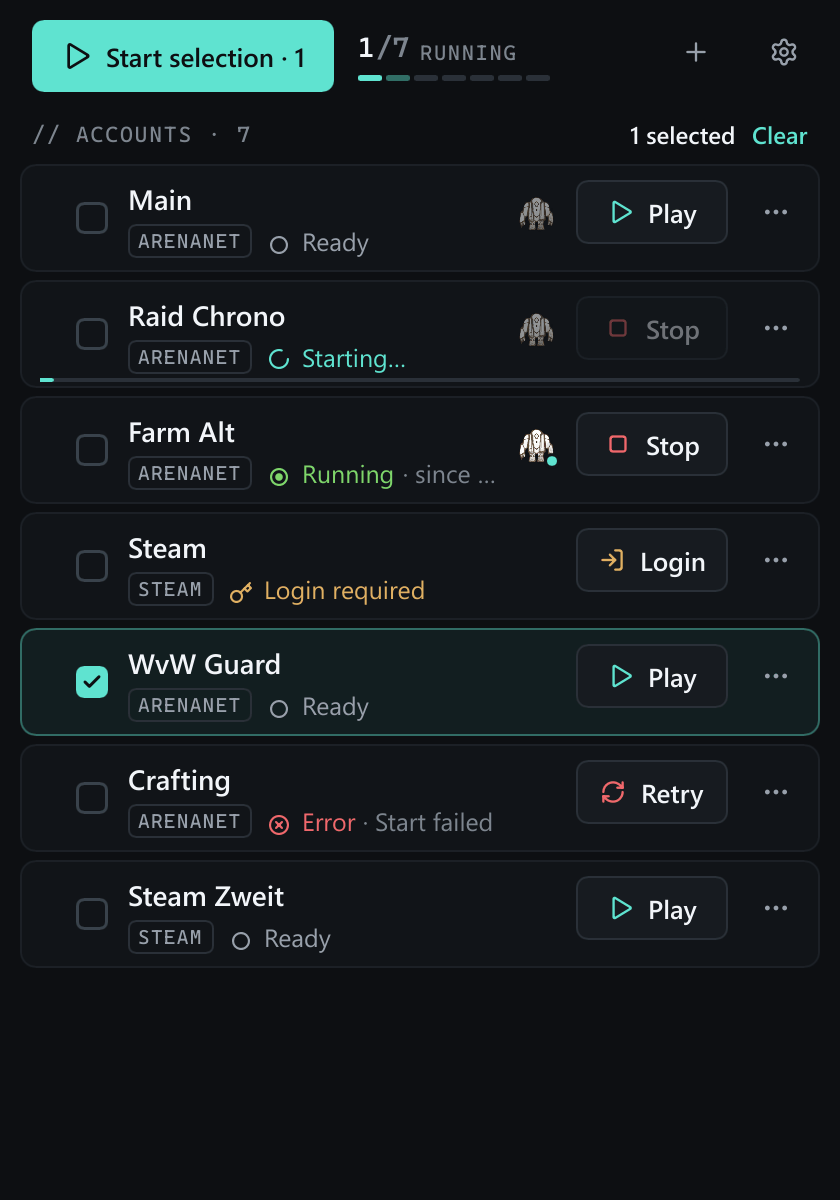
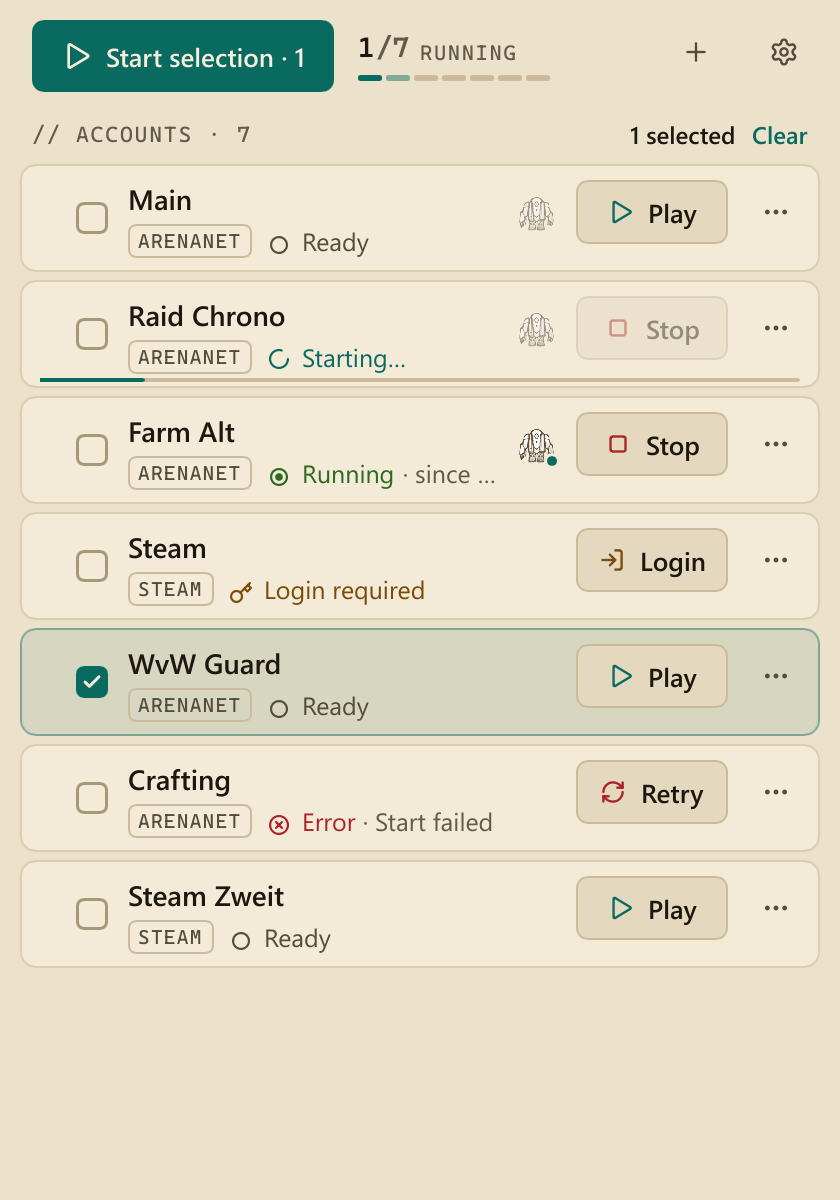
Built for players who run more than one account.
Start every client at once.
Launch all accounts with one click, or only the ones you select. Breakbar closes the game's single-instance lock and opens the data file read-only. Your game files are never modified.
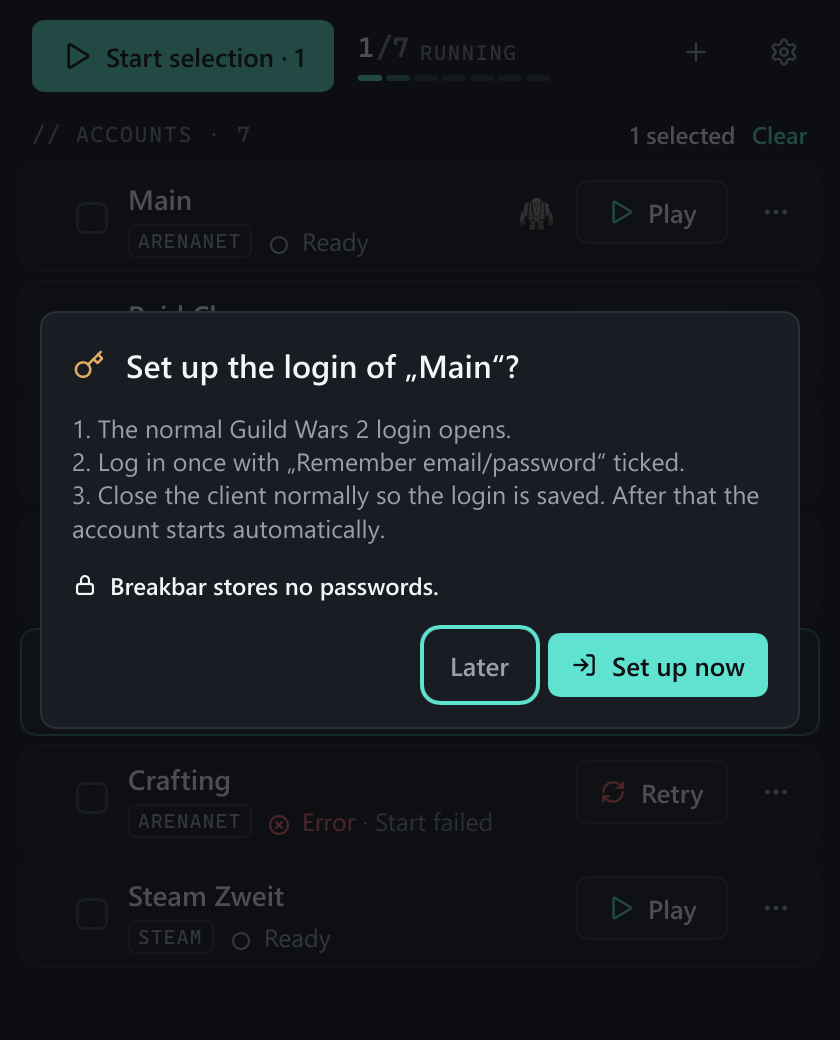
Its own login per account. No passwords stored.
Every account gets its own login file. A short guided dialog walks you through the one-time login and tells you when it was saved. Breakbar never stores an email or a password.
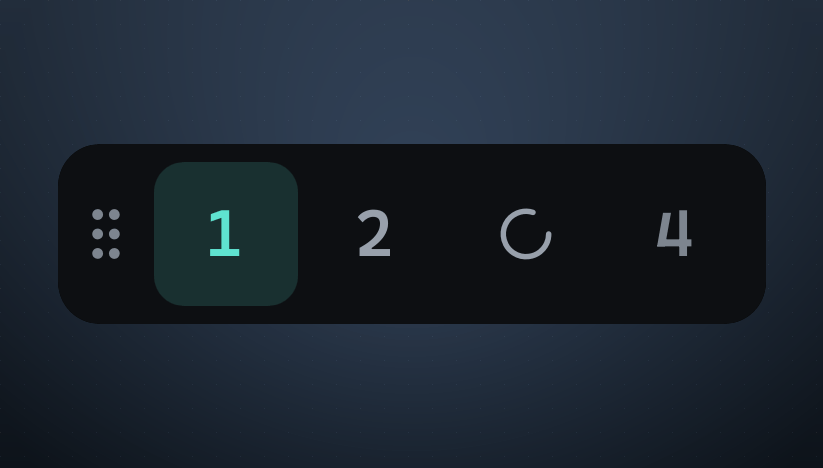
Jump between clients from a small bar.
An always-on-top bar with one numbered chip per account. Click to jump to a running client, right-click to stop it, click an idle one to start it. Show it always or only while a client runs, lock its position, set its opacity.
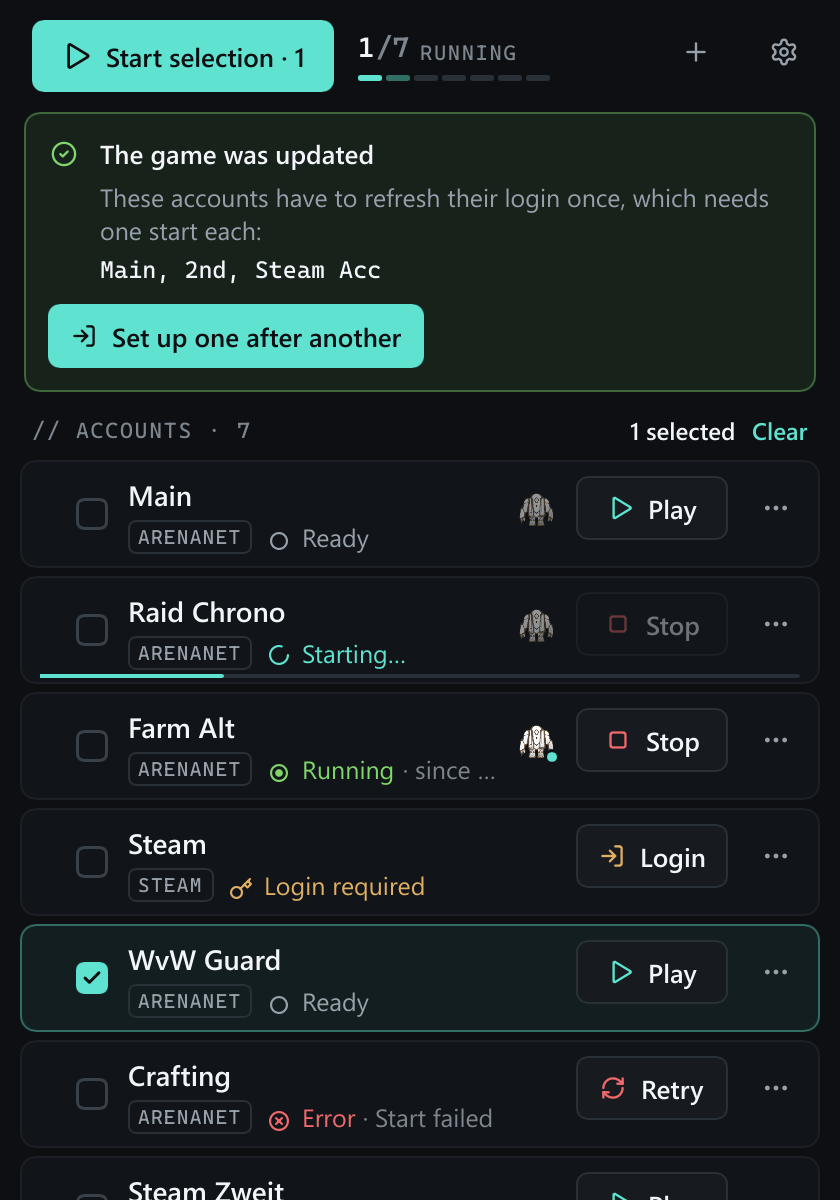
Your tools start with the game. Updates are guided.
Start and stop Blish HUD together with the game, once per client or once for all clients. After a game patch, a banner names the accounts whose login needs refreshing and walks you through it, one after another.
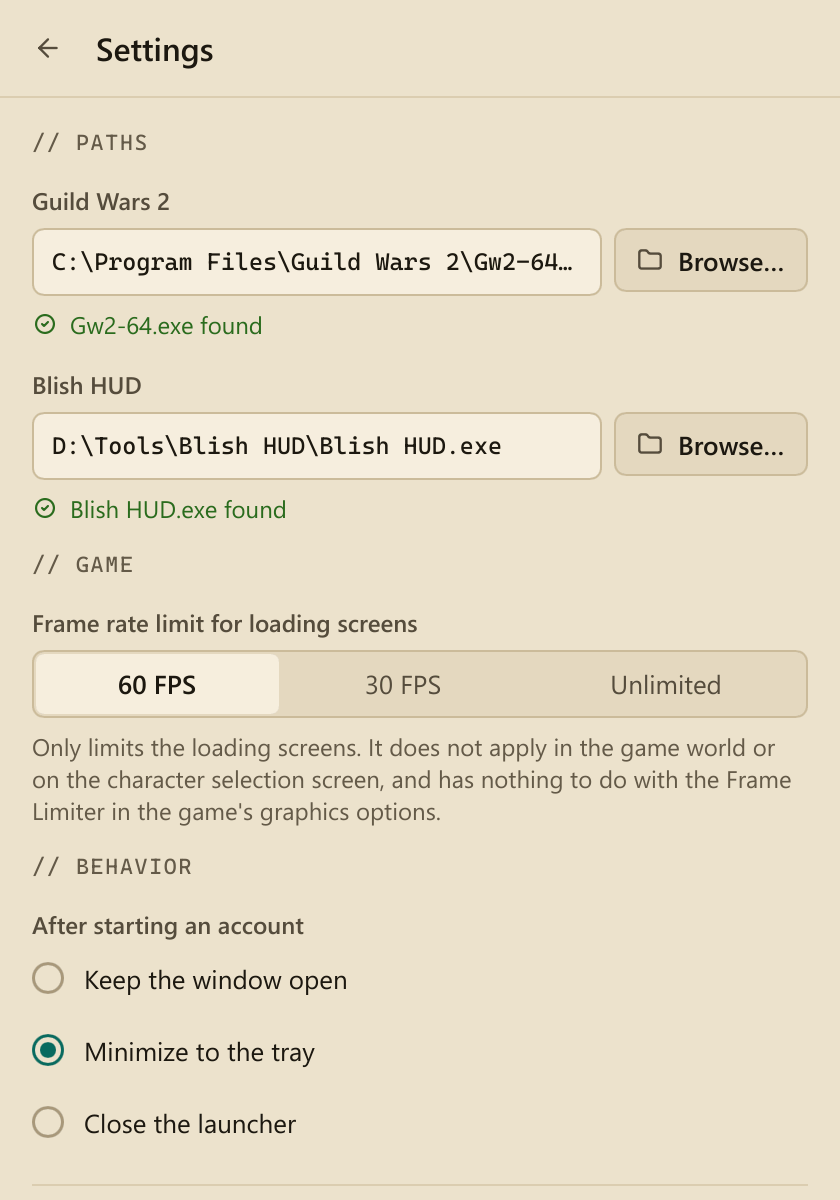
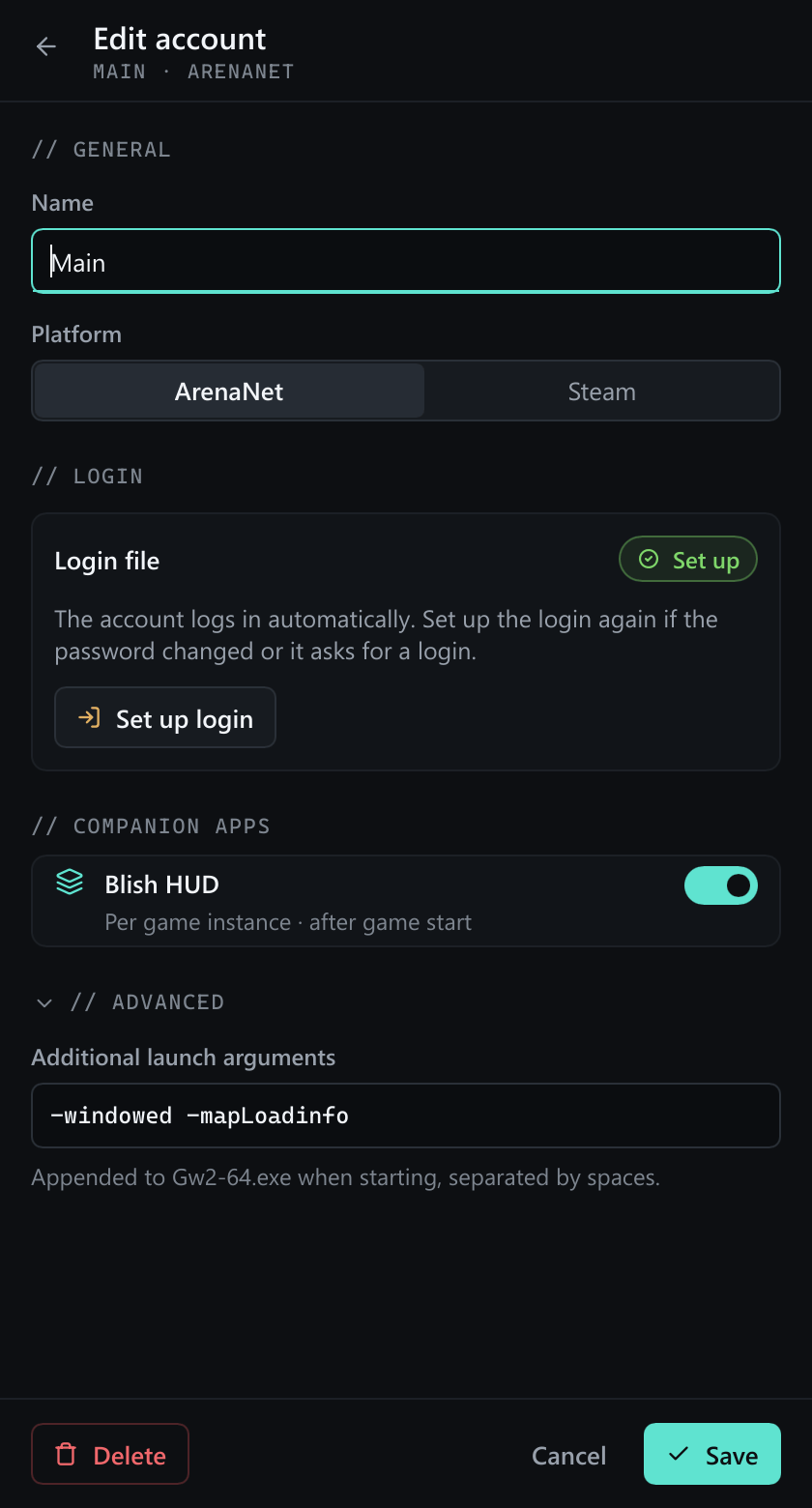
Everything in the current version.
core
everyday use
breakbar-launcher --launch "Main,Alt1"
comfort
Three steps, once.
-
01
Add your accounts.
Pick your Guild Wars 2 folder once, then add an account by name.
-
02
Log in once each.
The normal game login opens. Tick “Remember email/password” and close the client. Breakbar saves that login for the account.
-
03
Press Launch all.
Each account starts with its own login, side by side.
One Steam account, any number of ArenaNet accounts.
Steam signs in with the Steam user that is currently signed in, so one Steam account can run at a time, next to any number of ArenaNet accounts.
Steam only signs in a copy of the game that it installed. If you have the standalone game, Breakbar offers to link your existing installation into Steam. You click Install in Steam once, and Steam adopts the files instead of downloading the game again.
Questions.
Is it allowed? Is it safe?
Breakbar starts the game's own program with the game's own options and keeps a separate login file for each account. To allow several clients, it closes the game's single-instance lock in the running client. It does not change game files, inject code or read game memory, and the source is public. It is not an official ArenaNet product and not endorsed by ArenaNet; you use it at your own risk.
ArenaNet allows playing several accounts at the same time under conditions. In short, from their policy on dual and multi-boxing:
- You may run several accounts, but you must play and control each one yourself, attended and independent of the others.
- One keystroke or mouse click may act on one account only. No macros or input broadcasting that trigger actions on more than one account.
- No bots or third-party tools that play characters for you or play unattended.
- Multi-boxing is allowed in PvE only, not in PvP, WvW or other competitive activities.
- Breaking these rules can lead to the suspension or termination of the accounts involved.
Breakbar Launcher only starts and organizes the clients. It sends no input to them and plays nothing for you, so keeping to these rules is up to you.
Does it store my password?
No. Breakbar Launcher never stores an email or a password.
Does it cost anything?
No. It is free and open source under the MIT license.
Which Windows versions?
Windows 10 and 11, 64-bit.
Why does Windows show a warning on first start?
The first start may show a Windows SmartScreen notice because the program is new. Releases will be code-signed.
Where is my data?
Settings in %APPDATA%\Breakbar, login profiles in %LOCALAPPDATA%\Breakbar. Deleting an account deletes its profile.
Can I run it from any folder?
Yes. Put it in your own folder, for example in your user folder, not in C:\Program Files, so it can update itself later without administrator rights.
Get Breakbar Launcher.
One portable .exe, always the newest release. Put it in any folder and run it.